How to Set Up WhatsApp Business AI for Your Small Business in India
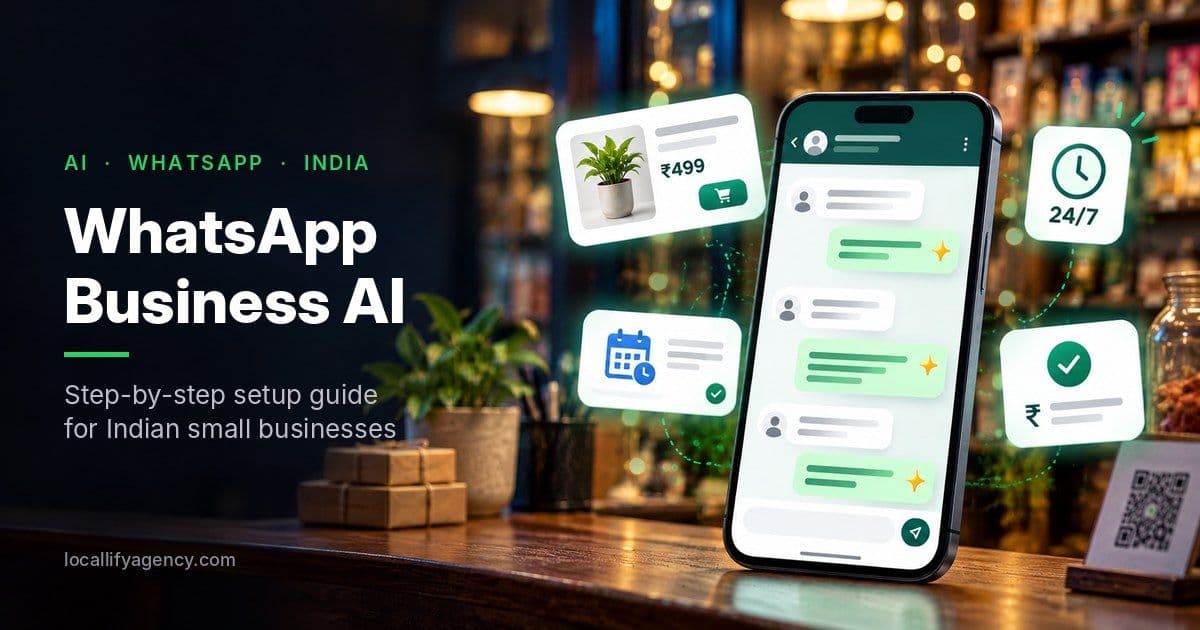
WhatsApp Business AI can reply to your customers 24/7, recommend products, and book appointments in any Indian language. Here's how to set it up step by step.
If you run a small business in India, your customers are already messaging you on WhatsApp: asking prices, checking timings, booking appointments, and asking "is this available?" at 11 PM.
The problem? You can't reply to everyone, all the time.
That's exactly what Business AI on WhatsApp is built to solve. Meta launched it in India in May 2026, and it's now rolling out to eligible businesses inside the regular WhatsApp Business app. No coding, no extra software, no developer needed.
In this guide, we'll explain what it is, what it can do, how to set it up step by step, and how to get the best results from it.
What Is WhatsApp Business AI?
Business AI is an AI assistant built into the WhatsApp Business app that replies to your customers on your behalf.
You give it your business information (products, prices, timings, policies), and it uses that to:
- Answer customer questions 24/7, including FAQs about products, services, pricing, discounts and delivery
- Recommend products from your WhatsApp catalogue
- Capture leads when you're busy or offline
- Book appointments
- Help close sales directly in the chat
Meta says it works in all native Indian languages, so customers can talk to it in Hindi, Bengali, Assamese and other languages, not just English.
And you stay in control. If a question is complex or needs a personal touch, you can take over the conversation anytime. You can also change how it behaves, or switch it off completely.
Why This Matters for Indian Small Businesses
Messaging is how India does business. According to a Kantar study (2025) cited by Meta, 91% of online adults in India chat with a business every week.
But most small business owners are juggling everything: sales, stock, staff, accounts. Customer messages pile up, replies get delayed, and leads that come in late at night often go cold by morning.
Business AI fixes the biggest leak in a small business: unanswered messages.
Meta shared a few early results from Indian businesses using it:
- Soil Concept, a plant-based personal care brand, was losing late-night leads. After switching on 24/7 AI replies, the co-founder reported conversion rates of 80-90% and a customer base of over 15,000.
- The Purple Sunset, a custom gifting business handling 60-70 queries a day, reported closing 6-7 orders daily through AI-handled chats and a 40% increase in sales.
These are Meta's own showcase examples, so treat them as best-case results. But they show what's possible when every customer gets an instant reply.
What's Coming Next: UPI Payments Inside the Chat
Meta has also announced that Business AI will soon be able to collect payments using UPI directly inside the WhatsApp chat.
That means a customer could ask a question, get a product recommendation, and pay, all in one conversation, without ever leaving WhatsApp.
On top of this, in July 2026 Meta announced Meta Business Agent in India at its WhatsApp Business Summit in Mumbai. It answers business-specific questions, recommends products, books appointments and qualifies leads, and it can also send you summaries of missed conversations. For larger companies, there's also a separate platform that connects AI agents to tools like Shopify and Zendesk.
The direction is clear: WhatsApp is becoming a full sales counter, run by AI.
How to Set Up WhatsApp Business AI: Step by Step
Step 1: Use the WhatsApp Business app (not regular WhatsApp)
Business AI only works in the WhatsApp Business app. If you're still using personal WhatsApp for your business, download WhatsApp Business from the Play Store or App Store and move your business number to it.
Update the app to the latest version, since new features only appear on updated apps.
Step 2: Complete your business profile
The AI learns from what you've already added, so fill in everything:
- Business name and category
- Full address and Google Maps location
- Business hours
- Short business description
- Website link
- Email address
Tip: The more complete your profile, the smarter and more accurate the AI's answers will be.
Step 3: Set up your WhatsApp catalogue
Add your products or services to the Catalogue with:
- Clear names
- Prices
- Good photos
- Short descriptions
This is what the AI uses to recommend products to customers.
Step 4: Turn on Business AI
Open the WhatsApp Business app and go to:
Tools → Your Business AI
Follow the guided setup steps. During setup, you can add extra information about your business, such as FAQs, policies, delivery details and price lists, so the AI understands how you work.
Note: Meta says businesses must meet certain eligibility criteria, and the feature is being rolled out gradually. If you don't see "Your Business AI" under Tools yet, keep your app updated and check again later.
Step 5: Test it like a customer
Before letting it talk to real customers, ask a friend or family member to message your business with common questions:
- "What are your timings on Sunday?"
- "Do you deliver to my area?"
- "What's the price of ___?"
- "Can I book an appointment for tomorrow?"
Check whether the answers are correct, polite and in the right tone. If something is wrong, update your business information and test again.
Step 6: Monitor and take over when needed
For the first few weeks, read the AI's conversations regularly. Step in when:
- A customer is unhappy or confused
- The question involves a complaint, refund or special request
- It's a high-value order that deserves a personal touch
Think of the AI as a new staff member: helpful, fast, but still learning.
Tips to Get the Best Results
- Keep prices and stock updated. Wrong information = unhappy customers.
- Write clear FAQs. Cover delivery, returns, payment methods, timings and location.
- Set clear boundaries. For example, make sure medical, legal or financial questions are handed to a human.
- Use simple language. Your customers should feel like they're talking to your shop, not a robot.
- Connect it with your website. Add a "Chat on WhatsApp" button on every page of your website, so visitors can go straight into a conversation with your AI.
Business AI vs a Custom WhatsApp AI Agent
The built-in Business AI is perfect for most small shops, clinics, salons and service businesses.
But if your business needs more, like:
- Syncing leads automatically to a CRM or Google Sheets
- Connecting to your booking system or inventory
- Sending order updates and reminders
- Handling high message volumes across teams
then you'll likely need the WhatsApp Business Platform (API) with a custom AI agent and automation built around your workflow.
Frequently Asked Questions
What is WhatsApp Business AI? It's an AI assistant built into the WhatsApp Business app that answers customer questions, recommends products, captures leads and books appointments on behalf of a business, 24/7.
Is WhatsApp Business AI available in India? Yes. Meta launched Business AI in India in May 2026, and it's rolling out to eligible businesses in the WhatsApp Business app.
How do I turn on Business AI in WhatsApp? Open the WhatsApp Business app, go to the Tools tab, select "Your Business AI" and follow the guided setup steps.
Does WhatsApp Business AI support Hindi and other Indian languages? Yes. Meta says it works in all native Indian languages.
Can I reply to customers myself after turning on Business AI? Yes. You can take over any conversation at any time, adjust settings, or switch the AI off completely.
Why can't I see "Your Business AI" in my app? The feature is being rolled out gradually and only to eligible businesses. Make sure you're using the latest version of the WhatsApp Business app and check again later.
The Bottom Line
Your customers expect instant replies. With Business AI on WhatsApp, even a one-person business in Silchar can respond like a big brand: any time, in any language, without hiring extra staff.
Set it up properly, feed it accurate information, and keep an eye on it. It could be the easiest sales boost your business gets this year.
Need help setting up WhatsApp AI, connecting it to your website, or building a custom WhatsApp automation for your business? Start a project with Locallify or chat with us on WhatsApp.
Sources: Meta Newsroom: Introducing Business AI on WhatsApp in India · IANS via Punjab Kesari · UNI: Meta Business Agent in India · Business AI Help Center